 01Product photo
Editorial Product Photo
Prompt example
A minimalist skincare bottle on pale limestone, warm window light, soft shadows, premium editorial product photography, square composition.
 Flow Studio
Turn a text prompt into an image. Describe your idea, choose a model and style, then generate.
Text to image examples
Start with a clear subject, then add composition, lighting, color, and visual style.
01Product photoPrompt example
A minimalist skincare bottle on pale limestone, warm window light, soft shadows, premium editorial product photography, square composition.
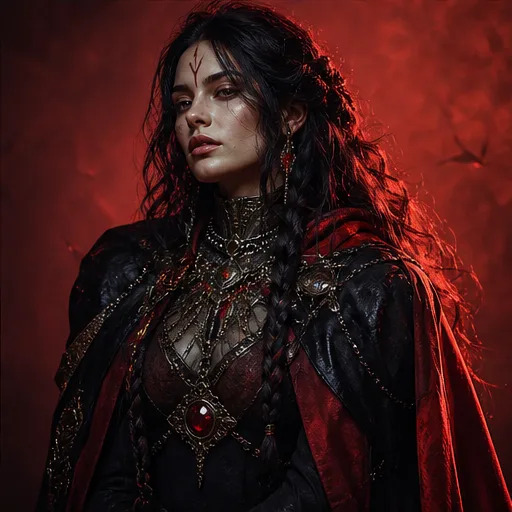 02Character design
Prompt example
A determined space navigator in a weathered flight suit, cinematic rim light, shallow depth of field, realistic skin detail, dramatic portrait.
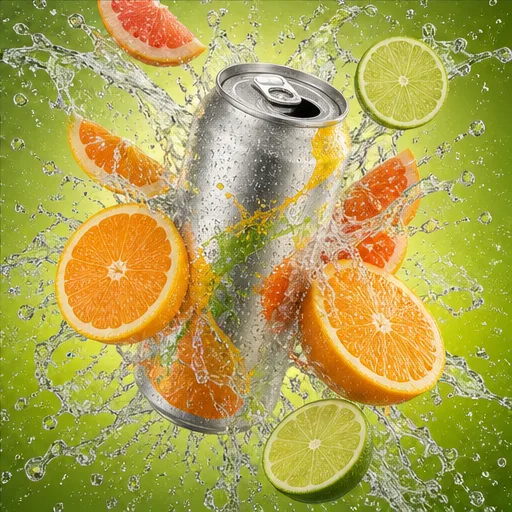 03Social graphic
Prompt example
A bold summer drink campaign with citrus slices, condensation, bright cyan background, energetic studio lighting, clean space for a headline.
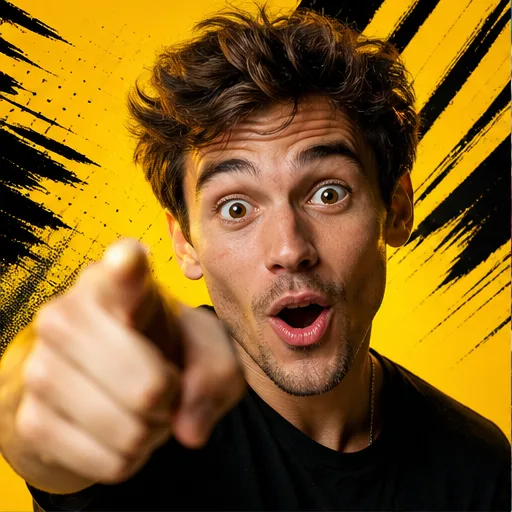 04Thumbnail
Prompt example
High-contrast creator thumbnail about a productivity challenge, expressive portrait, clear focal point, vivid yellow accents, room for large text.
 05Brand concept
Prompt example
A clean geometric logo concept for a modern outdoor coffee brand, mountain and sunrise motif, simple vector shapes, two-color identity system.
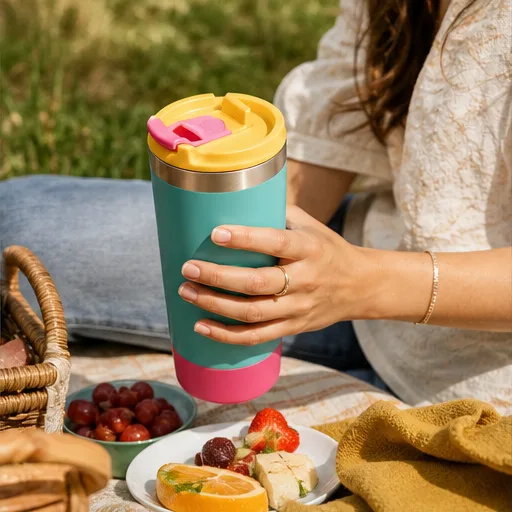 06Lifestyle image
Prompt example
Wireless headphones on a commuter desk beside a notebook and coffee, natural morning light, realistic lifestyle photography, calm neutral palette.
Text to image use cases
Generate original visual directions for content, campaigns, products, and creative production.
Visualize product photography, packaging ideas, campaign scenes, and advertising concepts before a full shoot or design pass.
Create square posts, vertical story backgrounds, campaign graphics, and visual hooks for Instagram, TikTok, LinkedIn, and Pinterest.
Generate custom hero images, article illustrations, newsletter headers, and editorial concepts matched to a specific topic or mood.
Develop character designs, profile pictures, editorial portraits, costumes, expressions, and visual directions from a written description.
Explore environments, props, scenes, camera framing, and storyboard ideas before investing in a final illustration or production.
Build visual concepts for posters, album covers, video thumbnails, event graphics, and promotional artwork with space for later typography.
Why Flow AI Video
Compare image models and control the look, shape, and number of results in one workflow.
Switch between available image models for different strengths in detail, prompt following, visual style, and text rendering.
Generate directly from text or add optional reference images when you need stronger guidance for a subject, composition, or style.
Start with photography, cinematic, anime, product, design, and other presets instead of rebuilding common prompt structures.
Choose an aspect ratio for square posts, portrait content, landscape graphics, thumbnails, banners, and other placements.
Generate one to four outputs, compare visual directions, then regenerate or refine the prompt when an idea needs another pass.
Text to image workflow
Write a prompt, choose your settings, generate images, and refine the result.
Describe the main subject first. Add the setting, composition, lighting, colors, and style that should shape the image.
Select an available model based on the type of result you want, such as realistic photography, illustration, design, or clear text.
Choose a style or template, select an aspect ratio, and decide how many image variations to generate.
Generate the images, compare the results, then change one prompt detail or setting at a time before creating another version.
Creator feedback
Feedback on prompt understanding, visual consistency, and creative workflows.
Flow AI Video's prompt understanding is remarkable. It captures nuances and details I describe, creating exactly what I envision. Love it!
The image styles stay consistent across a full campaign. I can explore new concepts without losing the look of my brand.
I turn rough ideas into polished images in minutes. The results give me a strong starting point for client work.
Select the ideal package to create stunning videos with Flow Video Generator
Your local currency and applicable taxes are shown at checkout.
$118.80 charged yearly
Perfect for hobbyists and beginners
Everything you need to start:
$598.80 charged yearly
For teams and businesses
Everything in Professional, plus:
$238.80 charged yearly
For creators and professionals
Everything in Basic, plus:
Text to image questions
Answers about prompts, image models, styles, formats, references, variations, and credits.
A text to image AI generator creates a new image from a written prompt. The prompt describes the subject and can also guide the setting, composition, lighting, colors, camera style, and visual medium.
Enter a description of the image you want, choose an AI image model, select a style and aspect ratio, then click Generate Image. Review the outputs and refine the prompt if the subject or composition needs to change.
Start with the main subject and action. Then add the setting, framing, lighting, color palette, and style. Use concrete visual details and avoid stacking several conflicting ideas into one prompt.
Choose the model whose strengths match the task. Some models favor realistic detail, some follow complex prompts closely, and others are better for typography or fast exploration. The model menu describes each available option.
Yes. Reference images are optional on this page. Add one or more when you want the generated result to follow an existing subject, composition, or visual direction more closely.
You can choose from the aspect ratios shown in the generator, including square, portrait, landscape, and wider formats. Select the ratio that matches where the image will be used.
Yes. Select the output count to create multiple variations from the same prompt and settings. Each output uses the credit amount displayed in the generator.
Long or conflicting prompts can weaken the main idea. Put the essential subject first, remove unnecessary instructions, and revise one detail at a time. Trying another image model can also produce a different interpretation.
Common uses include product concepts, social media images, blog illustrations, character designs, concept art, storyboards, posters, thumbnails, and early visual directions for campaigns.
Image generation uses credits. The current amount per output is shown in the model menu and on the Generate Image button before you submit the request.
More AI creative tools
Upload an existing photo and describe the changes you want to make with AI.
Animate a generated image with subject motion, camera movement, and video settings.
Move between AI image and video generation in the full creative workspace.
Start with a prompt
Describe the visual in your head and generate your first set of image ideas.
Generate an AI Image